How to Check Pokémon Card Prices
Match the exact card, check its condition, then compare recent sold records. Use the set, collector number, finish, and language to find the right printing. Check the price source, currency, and update date. A scanner can start the lookup; confirm its match before using the price.
Look up a card without an app
- Read the printed details. Find the name, set code or symbol, and complete collector number. Our set-number guide shows where to look.
- Find the catalog entry. Search the MonZap card catalog and compare the artwork and printed details. Check language, edition stamps, and holo versus reverse holo separately.
- Match condition. Inspect the front, back, edges, and surface. Compare a worn raw card with similar raw copies, not a Near Mint listing or a graded card.
- Check the market reference. Read the source, price label, currency, and date. For a scarce or unusual card, inspect individual recent sold records and their photos.
For example, searching only “Charizard” mixes many printings. Adding the set and collector number narrows the search; finish, edition, language, and condition still need to agree.
Check a scanned card in MonZap
- Scan one card. Keep the card clear and steady. Change the light angle if glare hides its details.
- Confirm the match. Compare the result with the card's name, set, and collector number. If it disagrees, use card search before saving.
- Read the price labels. Check the available market reference and history. Different finish or listing labels can produce different numbers.
- Keep a record. Save a confirmed card to a collection if you want to track it alongside the rest of your binder.
MonZap shows TCGplayer and Cardmarket references where data is available. A match does not establish physical condition or guarantee a sale price.
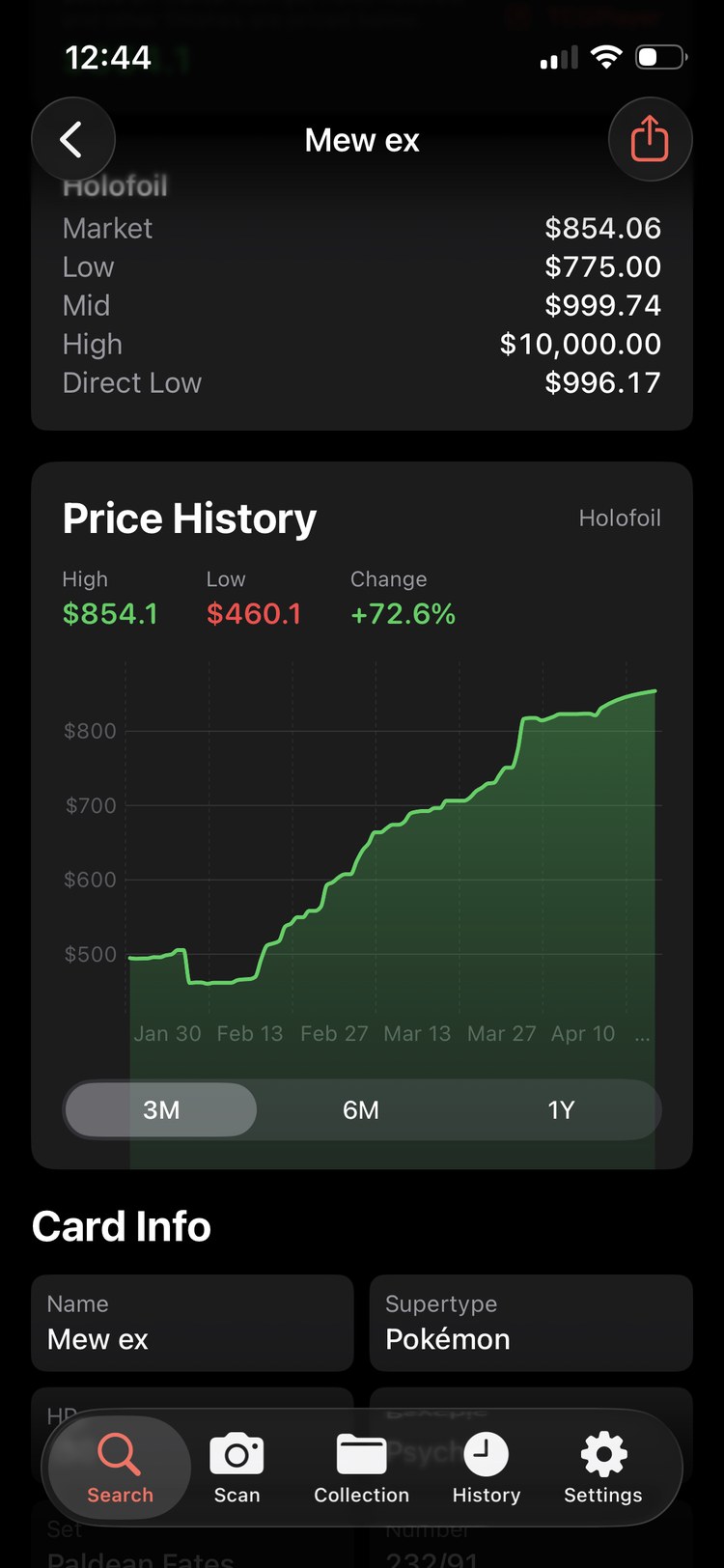
Know which number you are reading
- Market price
- A marketplace's price metric. TCGplayer says its Market Price draws on recent completed sales.
- Active listing
- A seller's asking price. It does not show that a buyer paid that amount.
- Individual sold record
- A completed sale to inspect for the correct printing, condition, date, and shipping cost.
- Missing price
- No available reference for that record. It does not mean the card is worth zero.
If two apps disagree, compare their labels before picking a number. Our guide to why card apps show different values covers source, currency, and refresh differences. To organize your own matched sales, use the three-sale value estimator.
Card price lookup questions
Can I check a Pokémon card price without an app?
Yes. Search a card catalog or marketplace using the card name, set, and collector number. Confirm the finish and language, then compare recent sales for copies in similar condition.
Should I use sold listings or asking prices?
Use completed sales to see what buyers paid. Active listings show what sellers are asking. Check the exact printing, condition, currency, and shipping before comparing either number.
Can I use a PSA 10 price for a raw card?
No. A PSA 10 sale applies to a card with that certified grade. Compare raw cards with raw copies in similar condition and graded cards with the same certified grade.
Why do Pokémon card price apps disagree?
Apps may use different card matches, marketplaces, conditions, currencies, price metrics, or update times. Compare those details before choosing a reference.